
The 60-Second Car Walkaround Video: From Stills to Reel
October 28, 2026 · Dealer Guides
A one-minute walkaround lets buyers feel a car's presence before they visit. This guide turns your listing stills and a phone into a timed, captioned reel with a shooting plan any staff member can repeat.
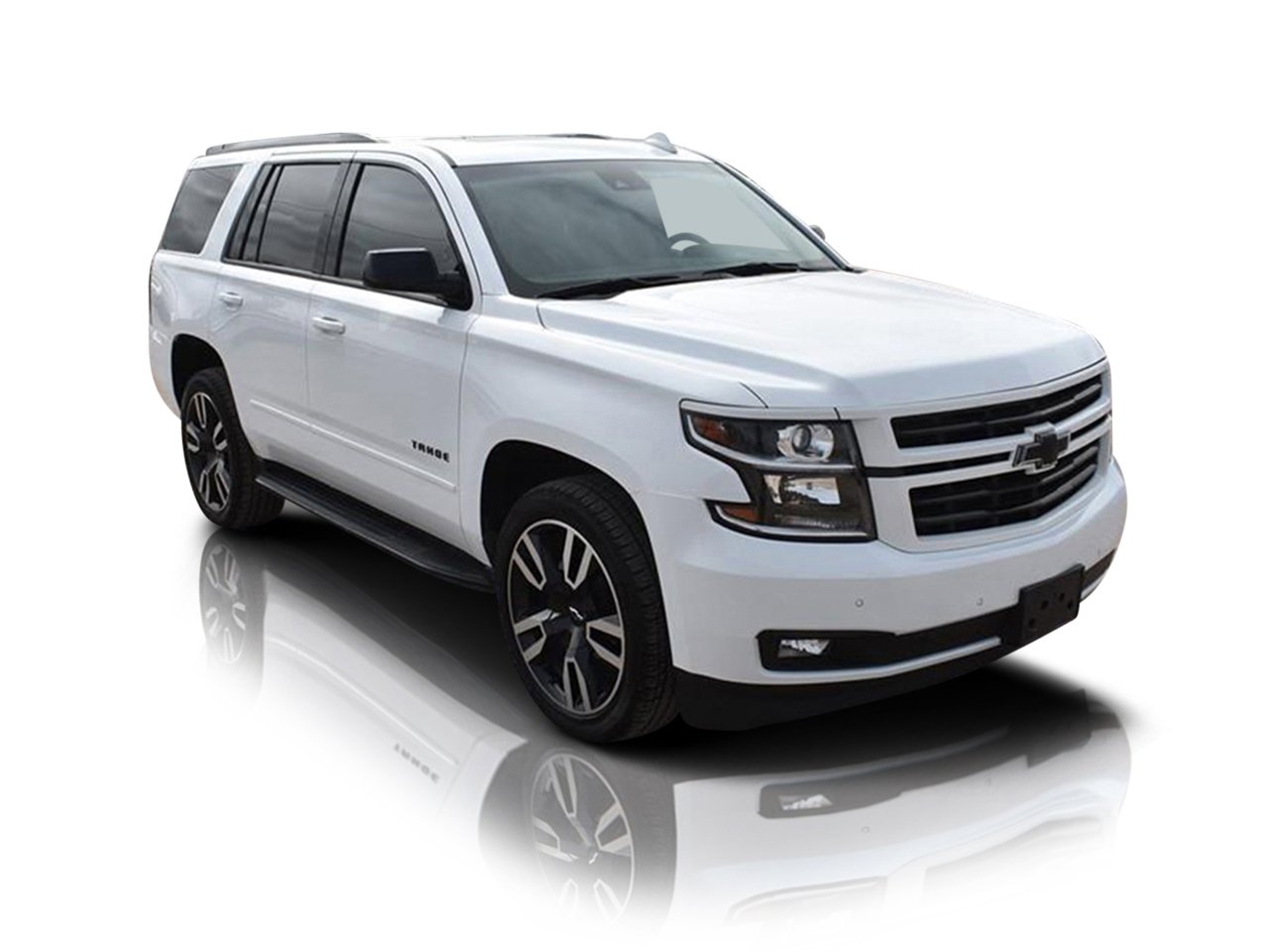
Key takeaways
- Your listing stills are the video storyboard
- Sixty seconds needs a second-by-second timing plan
- Captions carry the selling facts on mute
- Video must match photos or trust drops
A good car walkaround video takes about 60 seconds, one phone, and the photo set you already shoot for the listing. Film one slow, steady circuit of the car in the same order as your gallery photos, fill the gaps with slow zooms across your edited stills, and add caption frames for price, mileage and key features. Done in that order, a dealer can produce a finished walkaround for every car on the lot without a video crew, a camera rig, or a second visit to the vehicle.
That is the short version. The rest of this guide is the working version: how to plan the path, how to shoot it so the footage is usable, how to turn stills into motion without the result looking like a slideshow, how to crop the same material for Shorts and Reels as well as the marketplace player, and how to keep the video visually identical to the photos the buyer has just scrolled through on the vehicle detail page. It is written for dealer principals, used car managers, inventory photographers and the staff who actually walk around the cars, and it assumes your stills come from a car photo editing service for dealers or an in-house routine that finishes every set the same way.
Why a car walkaround video earns its place on the listing
Photos do the heavy lifting on a listing, and this guide is not going to argue otherwise. But a photo set, however good, asks the buyer to imagine the car as one object. They see a front corner, then a wheel, then a seat, and they assemble the vehicle in their head. A car walkaround video removes that assembly work. In one continuous minute the buyer sees how the panels connect, how big the car actually is, how the doors open, how much room is in the back, and whether the whole thing hangs together the way the photos claim it does.
That matters most for the buyers who are furthest away: the ones comparing your car against three others in the evening, deciding which single dealership gets their Saturday morning. Video is also the format your listings get judged by off the marketplace. The same walkaround, cropped vertical, becomes the Short or Reel that reaches buyers who were never searching at all. One disciplined shoot therefore feeds the vehicle detail page, the marketplace video slot and your social channels, which is why the routine is worth standardising rather than improvising per car.
Start with the stills: your photo set is the storyboard
The dealers who struggle with video usually treat it as a separate job, done on a different day, in different light, by a different person. That is backwards. Your listing photo set is already a storyboard: hero front three-quarter, front, side profile, rear three-quarter, rear, wheels, interior front, dashboard, rear seats, boot, engine bay, detail shots. A walkaround video is simply that storyboard set in motion, in the same order, so the buyer recognises the car they saw in the gallery.
This has a practical consequence for quality. The stills should be finished first, run through proper car dealer photo editing so colour, light and backgrounds are settled before anyone presses record. When the stills are edited as one consistent set, the video editor, even if that is just you with a phone app, has a reference for what the car is supposed to look like: that paint colour, that background, that brightness. Footage that disagrees with the finished stills confuses buyers in a way they feel rather than analyse, and the fix is always to make the video match the photos, never the other way round.
Planning the path around the car
Every car walkaround video succeeds or fails before recording starts, in the two minutes of planning the path. Walk the route once without the phone. You are checking four things: that the car is parked with working room on all four sides, ideally a full pace from any neighbour; that the ground is clean enough not to distract, or that the car can be moved to your usual photo spot; that the sun, if there is sun, will not force you to shoot straight into it on the most important side; and that doors, tailgate and bonnet can all be opened without hitting anything.
Decide your start point and direction and keep them the same for every car. Most dealers start at the front three-quarter on the driver's side and walk anticlockwise, because that matches the order buyers scroll a gallery. Consistency of route sounds like a small thing until your team is producing forty videos a month: the same path means the same video, whoever shoots it, and it means buyers browsing several of your cars get a rhythm they can compare across. Chalk or tape markers on the ground at your photo spot, one for each corner position, quietly remove weeks of hesitation about where to stand.
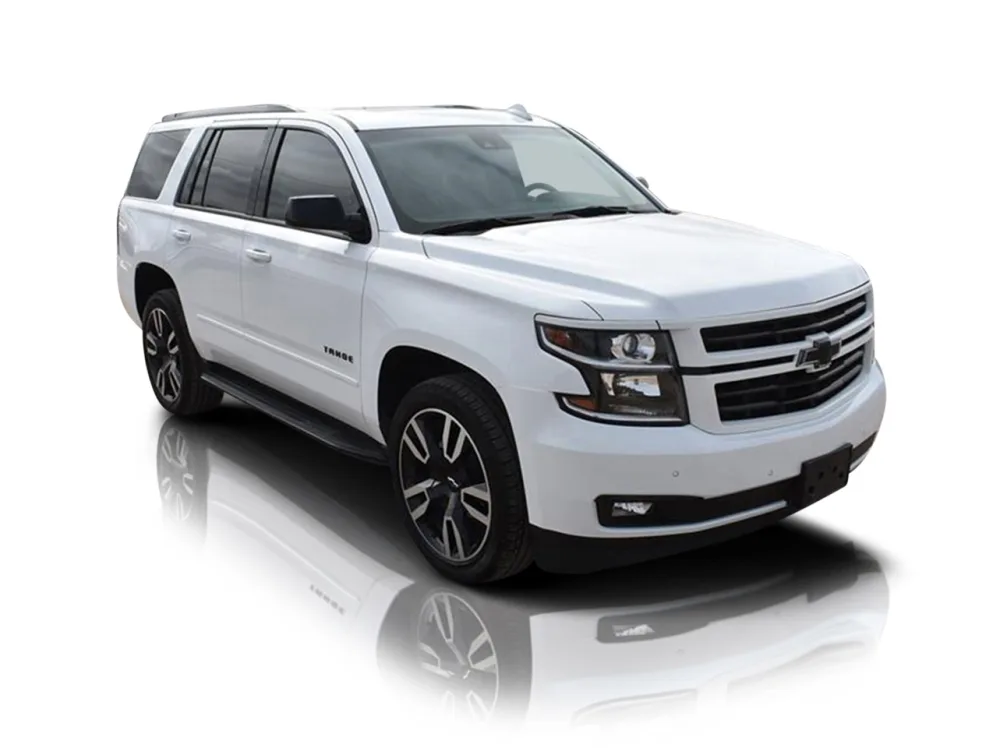
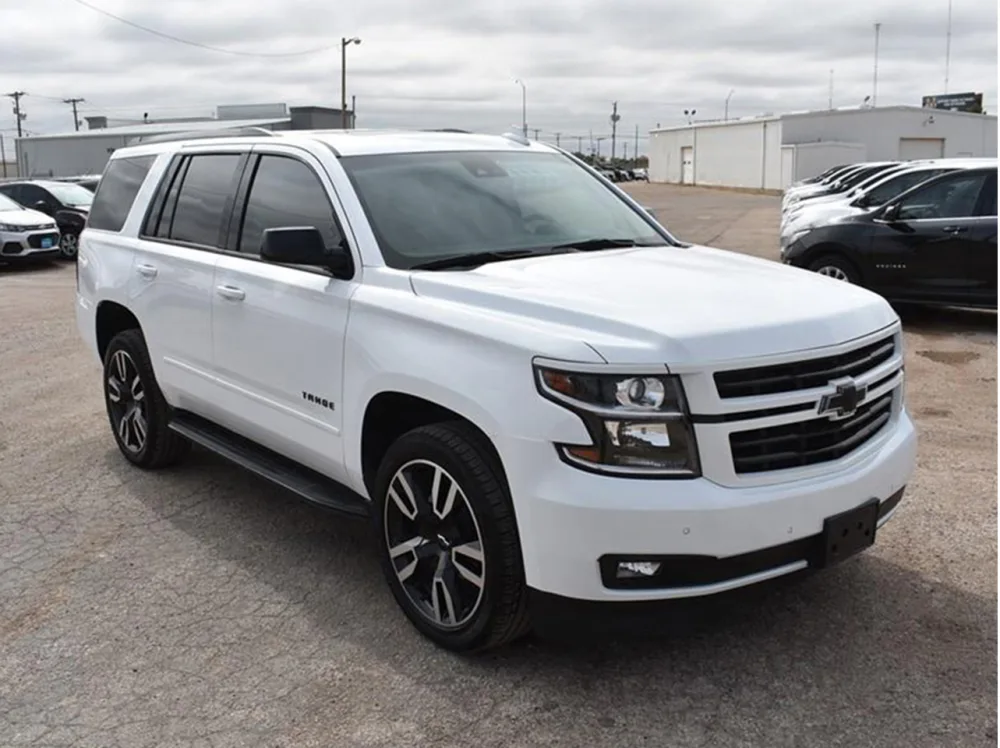
Showroom reflection for video-ready stills: hover or drag to compare
 BEFORE
AFTER
BEFORE
AFTER
Drag the slider or move your mouse over the image to compare.
The 60-second timing plan, second by second
A car walkaround video should be planned in seconds, not vibes, because sixty seconds disappears faster than anyone expects. Here is the timing plan our dealers use as a starting point, and it assumes roughly forty seconds of moving footage and twenty seconds of still-image segments and caption frames.
Seconds 0 to 6: the opening. A banner frame with the car name, year and price over the hero shot, then straight into the front three-quarter, the money angle, held steady for a breath before you start moving. Seconds 6 to 18: the full exterior walk down one side, across the rear, and up the other side, ending at the front again. Walk slowly and evenly; this single pass is the spine of the video. Seconds 18 to 26: doors. Open the driver's door and move into the front cabin, across the dashboard and wheel, then the rear door and rear seats. Seconds 26 to 34: the boot or cargo area, open and honest, then one or two detail passes: a wheel, a headlight, the badge. Seconds 34 to 48: still-image segments. Slow zooms across your edited interior, dashboard and detail stills, each held about three seconds, carrying the close-up quality a phone walk-past cannot. Seconds 48 to 56: the return to the front three-quarter, the car complete again. Seconds 56 to 60: the closing frame. Price, mileage, your dealership name and one clear instruction: book a viewing, reserve online, call the number on screen.
Adjust the proportions to the car. A seven-seat SUV needs more interior time; a convertible needs its roof operation; a performance car earns an extra detail pass. But keep the skeleton. A buyer who has watched three of your videos should know exactly when the boot is coming.
Shooting on a phone: stability, settings and movement
Modern phones shoot video that is more than good enough for listings, provided you control the three things that make phone footage look cheap: shake, exposure hunting and focus hunting. Shake first. Hold the phone with both hands, elbows tucked against your body, and walk heel-to-toe in short steps, the way wedding videographers do. An inexpensive gimbal is the single best upgrade a dealership can buy for this job and pays for itself in retakes avoided, but technique gets you most of the way. Move the whole body, not the phone: turns should come from your feet pivoting slowly, never from twisting your wrists, which is what produces the seasick swoop that makes buyers click away.
Settings second. Shoot in the highest resolution your phone handles comfortably, 4K if storage allows, because that resolution is what makes the vertical crop for social platforms possible later without the picture falling apart. Lock exposure and focus with a long press on the car before you start each pass; a phone left on automatic will brighten and darken every time you pass a window or a white panel, and will hunt for focus on reflections. If your phone offers a stabilisation or cinematic mode, use it, and switch off any beauty or filter mode permanently. Filters on the shooting device cannot be undone in the edit, and they will make the footage disagree with your stills.
Light: the basics that decide whether footage is usable
Video is less forgiving of bad light than stills, because you cannot hold a reflector or fix a moving shot frame by frame. The rules are simple. Overcast daylight is your friend: it wraps the car evenly, keeps paint colour true and produces no harsh reflections, which is why so many experienced dealer photographers quietly prefer a grey sky. Bright midday sun is the enemy, blowing out roofs and bonnets while leaving wheel arches in black shadow. Early morning and late afternoon light flatters everything but changes fast, so shoot the whole set in one session.
Indoors, watch for mixed light. A showroom with daylight windows at one end and warm ceiling lights at the other will make a silver car change colour as you walk it. Choose one dominant light source and stay in it, or close the blinds and work under the ceiling lights alone. For interiors, open every door and let the light in, and turn the dashboard screens on: a lit instrument cluster reads as alive, a black one reads as dead. Finally, never shoot the walkaround at a different time of day from the stills if you can avoid it. The video and the gallery should look like the same afternoon, because to the buyer they are the same car.
The shooting order that matches your listing gallery
Sequence is a promise. When the video follows the gallery order, a buyer can move between the two without re-learning the car, and your own quality check becomes trivially easy: open the gallery, play the video, and confirm each photo has its moment. The order we recommend is the order of the timing plan above: hero angle, exterior circuit, front cabin, rear cabin, luggage space, details, then back to the hero angle to close.
Two habits protect the sequence. First, narrate nothing with your hands: no pointing at features, no thumbs up, no hand entering frame to open doors with a flourish. Open doors by the handle, smoothly, and let the car do the talking. Hands in frame are the fastest way to make a professional listing look like a private seller's driveway video. Second, shoot each segment as its own short clip rather than one heroic sixty-second take. Short clips mean a mistake at the boot costs you a six-second reshoot, not the whole video, and they make the assembly step far simpler. Name or order the clips as you go: exterior, doors, boot, details. Future you, assembling at a desk, will be grateful.
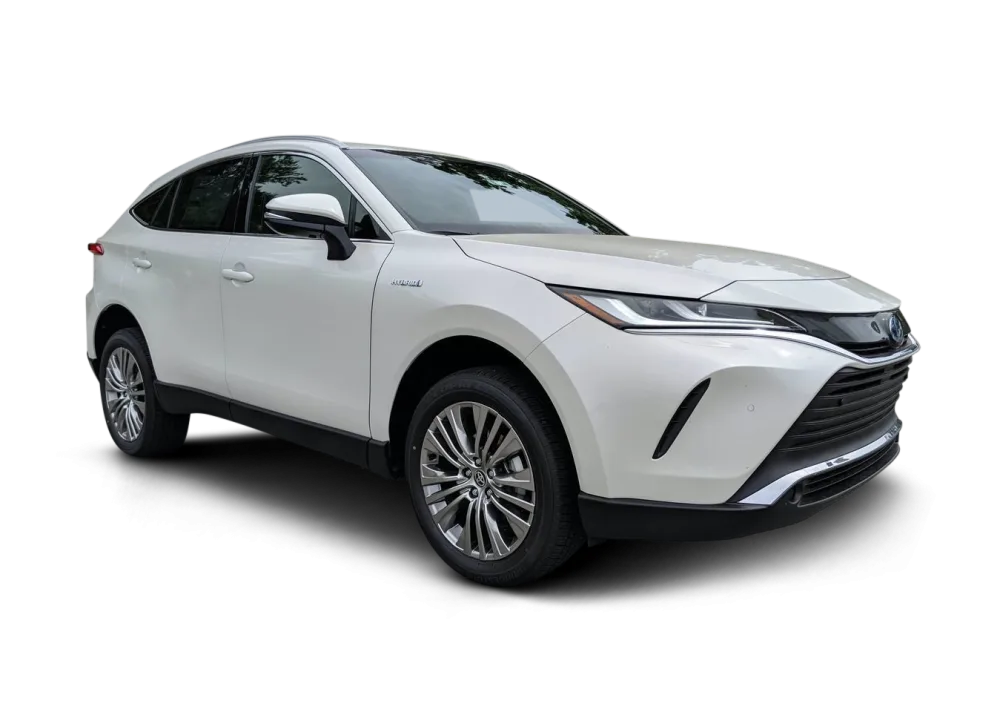
Clean scene behind every video frame: hover or drag to compare
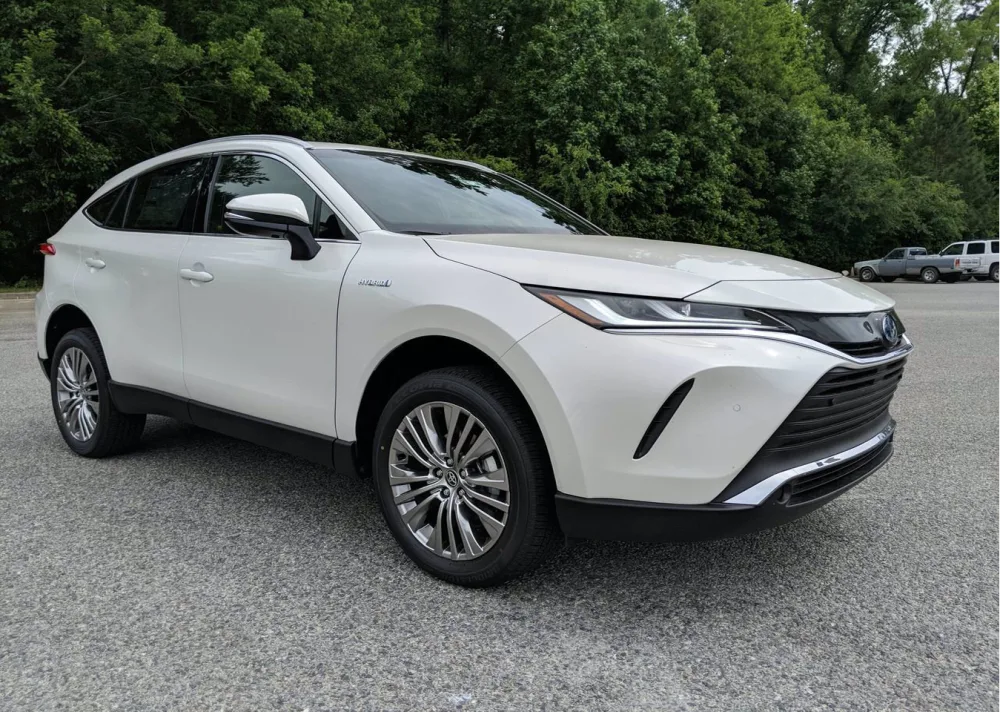 BEFORE
AFTER
BEFORE
AFTER
Drag the slider or move your mouse over the image to compare.
Turning edited stills into motion segments
No phone walk-past can match the quality of a well-edited still for close detail: the stitching on a seat, the condition of a tyre sidewall, the layout of a dashboard. This is where the stills-to-reel half of the method earns its name. Take the finished, edited stills from the listing set and give each one a slow, deliberate movement in the edit: a gentle zoom in, a slow pan left to right, a zoom out to reveal. Three seconds per still is the reliable rhythm. Faster feels like a slideshow; slower feels like the video has stalled.
The discipline is in the direction and consistency. Zoom in for details that reward inspection, pan across wide interiors, and never use spinning, bouncing or flipping transitions: every gimmick dates the video and distracts from the car. Because these segments use the same edited images as the gallery, they are also where your still-image investment shows twice. If the hero still the video opens on has been finished with car background replacement, the video opens with the same clean scene as the listing's first photo, and the buyer's sense that this is one carefully prepared car survives the jump from photos to video intact.
Captions and banner frames that carry the selling facts
Most listing video is watched with the sound off, on a train, in a queue, in bed. Captions are therefore not decoration; they are the script. Keep them short enough to read at walking pace: the car's name and year on the opening frame, then one fact at a time through the middle: mileage, fuel and gearbox, the two or three options that justify the price, service history if it is a genuine strength. End with the price again and the next step. Every caption should survive being read once, at speed, on a small screen, which means large type, strong contrast, and no sentence longer than about eight words.
The opening and closing frames deserve to be designed once and reused forever. This is where a proper car banner design template earns its keep: your logo, your colours, the car's name, year and price, laid out identically on every video your dealership publishes. A template also protects you from the slow drift of fonts and colours that creeps in when three different staff members make videos in three different apps. Build the frame once, lock it, and the only thing that changes per car is the text.
Vertical for Shorts and Reels, horizontal for the marketplace
One shoot, two shapes. Marketplaces and vehicle detail pages want horizontal video. Shorts, Reels and TikTok want vertical, and they are not a smaller version of the same thing: a naive centre crop of a horizontal walkaround will cut the car's nose and tail off in half the shots. The fix happens at the shooting stage, not the edit. Because you shot in 4K, you have resolution to spare, so compose the horizontal frame with the car a little further back than feels natural, keeping the vehicle inside the middle vertical slice of the frame during the exterior walk. That single habit makes the vertical crop survivable.
For the interior and detail segments, the stills do the rescue work again. A vertical version can be built largely from car image resizing applied to your finished stills, each one cropped tall, stacked in the same order, with the exterior walk segments cut into shorter vertical highlights between them. Many dealers find the vertical cut ends up punchier than the original: hero angle, three best stills, one detail, closing frame, thirty seconds. Let it be its own edit rather than a squeezed copy, but keep the same captions, the same banner frames and the same colour, so a buyer who sees the Reel on Tuesday and the listing on Thursday meets the same car twice.
Audio: music, voiceover and the rights question
Audio is where enthusiastic dealers most often create legal and practical problems. The rules are not complicated, but they are firm. You cannot take a current chart song, a radio recording or a track from a personal streaming account and put it under a commercial listing video. That is unlicensed commercial use, marketplaces and platforms do remove or mute such videos, and the takedown always arrives at the worst moment. Use the licensed music libraries built into the platforms themselves for social versions, and properly royalty-free or library music, licensed for commercial use, for the marketplace version. Keep the paperwork or the licence screen; it takes seconds and settles every future argument.
Voiceover is the alternative, and for some dealers the better one: a calm thirty seconds of speech naming the car's key facts builds more trust than any track, because a human voice from the actual dealership is hard to fake. If you voice it, record somewhere quiet and small, a car interior with the doors shut is a surprisingly good studio, speak slower than feels natural, and keep to the caption facts so sound-off and sound-on viewers get the same car. Whichever route you choose, keep the volume modest and the tone matched to your stills: quiet competence, not auction-room excitement.
Consistency rules so the video matches the photos
Everything in this guide converges on one principle: the buyer must never feel they are looking at two different cars. A small set of written rules, pinned where the videos are made, enforces it. The video uses the same background scene as the stills, or the same real location shot in the same conditions. The colour of the car in motion matches the colour in the gallery, which is why footage is shot with filters off and exposure locked, and why the thumbnail is never a random frame grab. Use the finished hero still as the video's cover image wherever the platform allows, finished with a car reflection shadow so the car sits as convincingly on the cover as it does in the gallery's first photo. Captions use the same names for trims and options as the written listing. The price on the closing frame is the price on the page, checked at upload, because a video outlives the week it was made and an old price in a caption is a complaint waiting for a date.
Write these rules down, with your timing plan and shooting order, as a one-page standard, and give it to everyone who touches a camera or an editing app. Standards that live in one person's head leave when that person does. Standards on one page survive staff changes, holidays and the busy Saturday when the newest recruit ends up filming the new arrival.
A repeatable production routine for the whole lot
Put together, the method runs like this for each car. The stills are shot at the photo spot, in gallery order. The set goes to your photo editing partner and comes back finished and consistent. While that is happening, or on the car's return to the pitch, the photographer shoots the four or five short walkaround clips in the standard order, a job that takes under five minutes once the path is practised. Assembly follows the template: opening banner, exterior clip, cabin clips, still segments, closing frame, captions from the listing text. One export horizontal for the marketplace and detail page, one vertical for social. Upload, set the hero still as the cover, and check the video once against the gallery before it goes live.
The economics are why this survives contact with a real dealership. The expensive parts, the photographer's time at the car and the editing of the stills, were already being spent. The video adds minutes of walking and a templated assembly, not a production day, and it produces an asset for three channels at once. Batch the assembly if volume demands it: shoot clips all week, assemble on one afternoon, and the per-car cost falls further. What you must not batch is the checking. Every video gets its sixty seconds of review against its own gallery, because consistency errors are cheap at a desk and expensive in front of ten thousand buyers.
Mistakes that make walkaround videos hurt the listing
The failure list is short and worth knowing by heart. Shooting the video in different light from the stills, so the car changes colour between gallery and video. Walking too fast, so the buyer sees motion blur instead of a car. Filming with the radio on, a colleague chatting nearby, or the valeting bay audible behind you. Captions that promise options the car does not have, copied from the last car's template. A closing frame carrying last month's price. Vertical versions cropped so tightly the car is unrecognisable. And the quietest mistake of all: making the video once, for one flagship car, and never building the routine, so the rest of the lot stays silent. A mediocre video on every listing beats a beautiful video on one, because buyers compare your cars against each other as much as against competitors.
How Cars Photo Editor prepares the stills behind the video
We are a hand-editing service, and the stills half of this method is the half we do. Send us the photo set for a car and an editor prepares it as one consistent listing set: our car background replacement service settles the scene, colour and light are corrected, the cover still is finished, banner frames are built to your template, and platform crops are prepared, including the tall versions your vertical video needs. No AI tool touches your images here; every photo is edited by a person and checked against the original before it comes back. We have worked this way since 2016 for dealers and automotive photographers across the USA, the UK and Europe, with services from $0.19 per image and 24 hour car photo editing as the standard turnaround for typical batches.
If you want to see what the method does to your own stock, the car photo editing free trial covers 5 to 10 of your photos, edited and returned for your approval before you pay anything. Take the finished set, build the sixty-second video around it using the plan above, and compare the listing against the same car presented the old way. The difference, on the page and in the viewer's head, is the whole argument.
Stills that are ready for video, free to test
Send us 5 to 10 of your own listing photos (files or a Drive or Dropbox link) and we will edit them free, by hand, so you can judge the quality on your own inventory before you spend anything.
Start Your Free TrialWalkaround video: common questions
How long should a car walkaround video be?
About 60 seconds is the sweet spot for a standard listing. It is long enough for a full exterior circuit, the cabin, the boot and the key details, and short enough that buyers actually finish it. Save longer formats for rare or high-value cars.
Can I make a good car walkaround video with just a phone?
Yes. A current phone in 4K, held with both hands, exposure and focus locked, and walked slowly heel-to-toe produces footage that is entirely good enough for marketplaces and social platforms. An inexpensive gimbal helps, but technique matters more than equipment.
What order should I film a car walkaround in?
Use the same order as your listing gallery: front three-quarter hero angle, a full exterior circuit, front cabin and dashboard, rear seats, boot or cargo area, then detail shots such as wheels and badges, and close back at the hero angle.
Should a car walkaround video have music or a voiceover?
Either works if it is done properly. Music must come from the platform's own library or a royalty-free source licensed for commercial use, never from a personal streaming account. A short voiceover recorded inside a car, doors shut, often builds more trust because it is a real voice from your dealership.