AI Car Backgrounds in 2026: Custom Scenes vs Templates
October 27, 2026 · Dealer Guides
Template scenes anyone can download, or a custom scene built for your dealership alone? The full 2026 guide to car backgrounds: how the editing works, what marketplaces allow, what each route really costs, and how to check quality before a photo goes live.
Key takeaways
- A clean, consistent background earns the click: it removes distractions and makes a whole inventory read as one professional business.
- Template scenes are fast, but every competitor can download the same look, and fixed scene lighting often mismatches the car.
- A custom scene is built for one dealership, with the cutout, shadow, light and color matched photo by photo and checked by a person.
- Marketplaces allow background replacement, never misrepresentation: edit the scene freely, keep the car itself honest.
Search for "ai car background" in 2026 and you will find dozens of tools making the same promise: upload a photo of a car sitting on your lot, press one button, and the car appears inside a glossy showroom, on a coastal road at sunset, or in front of a modern glass headquarters. The promise is partly true. Background replacement is a real, useful editing technique, and the automated version of it has become fast and cheap. What the adverts do not explain is the difference between a template scene that any dealer on earth can download and a custom scene built for one business, or what that difference does to your listings over a full year of inventory.
This guide is written for the people who actually carry the cost of that decision: dealer principals, used car managers, inventory photographers, and the marketing staff who answer for click-through rates. It covers how background replacement really works, where templates help and where they quietly hurt, what the major marketplaces allow, what each route costs in money and in staff time, and how to check a finished photo before it represents a forty-thousand-dollar vehicle in front of thousands of buyers.
Why the background carries so much weight
A listing photo has about two seconds to earn a click. A buyer searching for a three-year-old SUV sees a grid of near-identical vehicles at near-identical prices. The specification sheets are the same. The mileage is close. The only thing that separates your car from the three listed by the dealer across town is the photo, and inside that photo, the background is doing more work than most dealers realize.
A clean, controlled background does four jobs at once. First, it removes distractions: other cars, wheelie bins, cracked tarmac, a competitor's signage, a staff member walking through the frame. Every distraction is a reason for the eye to leave the car. Second, it creates consistency. When thirty listings share one clean look, the buyer reads them as one professional inventory from one serious business, instead of thirty separate snapshots taken on thirty different days. Third, it makes the car itself easier to judge. Panel gaps, wheel condition, paint reflections, and the true color of the vehicle are all easier to read against a calm background than against a busy forecourt. Fourth, it quietly signals price confidence. Dealers who present cars well are assumed to prepare cars well. That assumption is not always fair, but it is real, and it affects which listings get opened.
This is why background replacement stopped being a cosmetic extra years ago. For high-volume dealers it is now a standard production step, sitting alongside cropping, color correction, and license plate treatment in the normal flow of getting a car online.
A short history, because it explains the present
Dealer photography started in studios because there was no other option: print adverts needed clean images, and the studio was the only place to get them. When listings moved online, volume exploded and the studio became impossible. A dealer with two hundred cars cannot studio-shoot every arrival, so photography moved to the lot, and the lot came with all its clutter. The first fix was the portable backdrop and the turntable room, which larger groups still use well. The second fix was manual editing: a person cutting the car out in Photoshop and placing it into a prepared scene, one photo at a time. That is the technique professional editing services, including ours, still use today.
Automated background tools are the third wave. Modern software can find the outline of a car, separate it from its surroundings, and composite it into a ready-made scene in seconds. The genuine achievement is speed. The genuine limitation, which the rest of this guide is about, is judgment. Software is very good at finding the edge of a car. It is much less reliable at deciding whether the finished picture looks true.
How background replacement actually works
Whether a human editor or a software pipeline does the job, the steps are the same, and knowing them helps you judge any provider, including us.
The first step is the cutout. The editor traces the exact outline of the vehicle, a task called a clipping path when done precisely by hand. The hard parts are always the same: wing mirrors, roof rails, antennas, door handles, the gap between the wheel spokes, and the glass, where the original background shows through the windows and must be handled honestly. A rough cut leaves a pale halo around the car that buyers read instantly as fake, even if they cannot explain why.
The second step is placing the car into the new scene at the right scale and angle. A car photographed from a low front three-quarter angle cannot sit convincingly in a scene shot from standing height. Perspective mismatch is the single most common reason replaced backgrounds look wrong.
The third step is the shadow. A car must sit in a scene, not on it. That means a soft contact shadow under the tires and a shaped shadow under the body that matches the direction of light in the scene. Remove the shadow or point it the wrong way and the car floats, and a floating car destroys trust in the whole listing.
The fourth step is light and color matching. The scene has a color temperature and a light direction. The car was photographed under different light. The editor warms or cools the car, adjusts reflections on the paint and glass, and balances brightness so both halves of the picture agree with each other.
The fifth step is the check. Someone compares the finished photo with the original and asks plain questions. Is that the car's true color. Does anything about the car itself look altered. Would this photo mislead a buyer standing in front of the real vehicle. That last step is where a human process earns its money, because it is the step that protects the dealer.
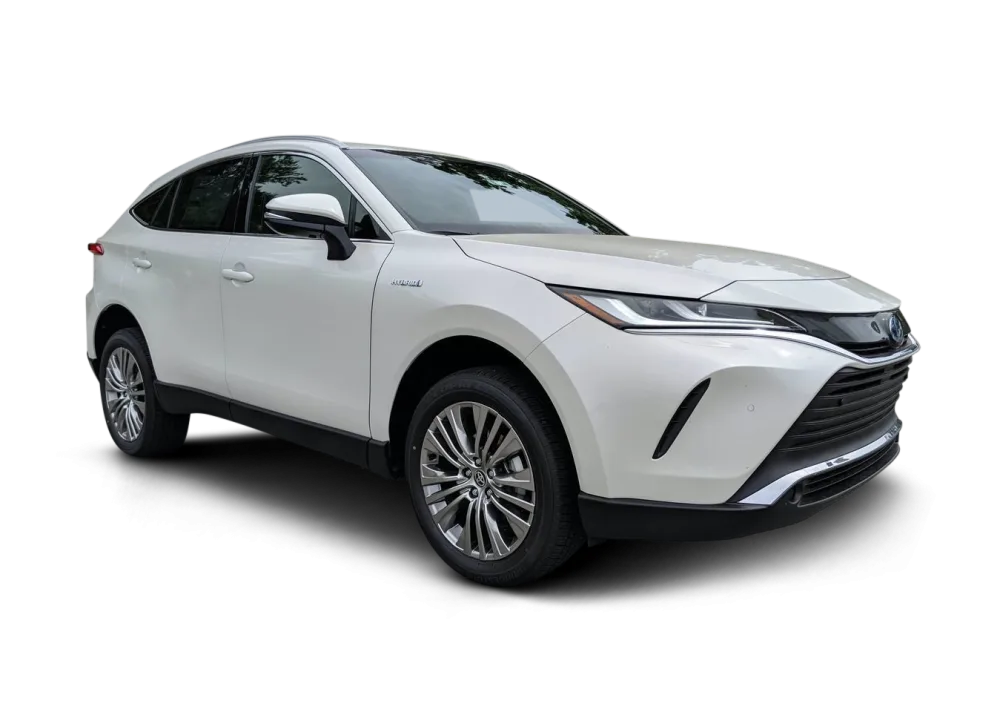
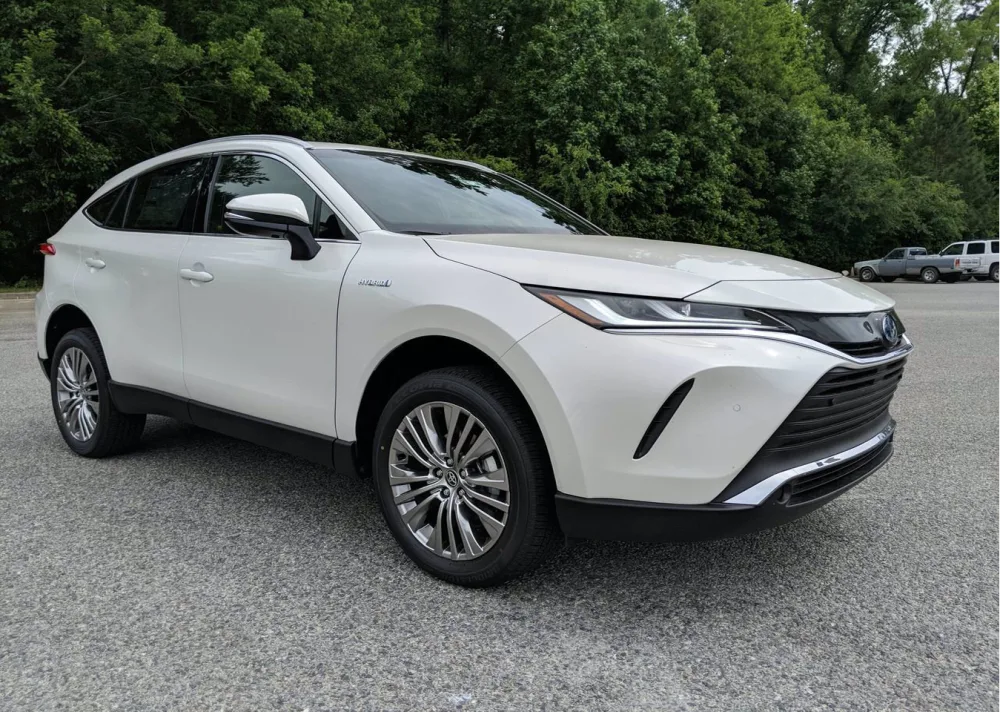
Background replacement by hand: hover or drag to compare
 BEFORE
AFTER
BEFORE
AFTER
Drag the slider or move your mouse over the image to compare.
The template route: what you are actually buying
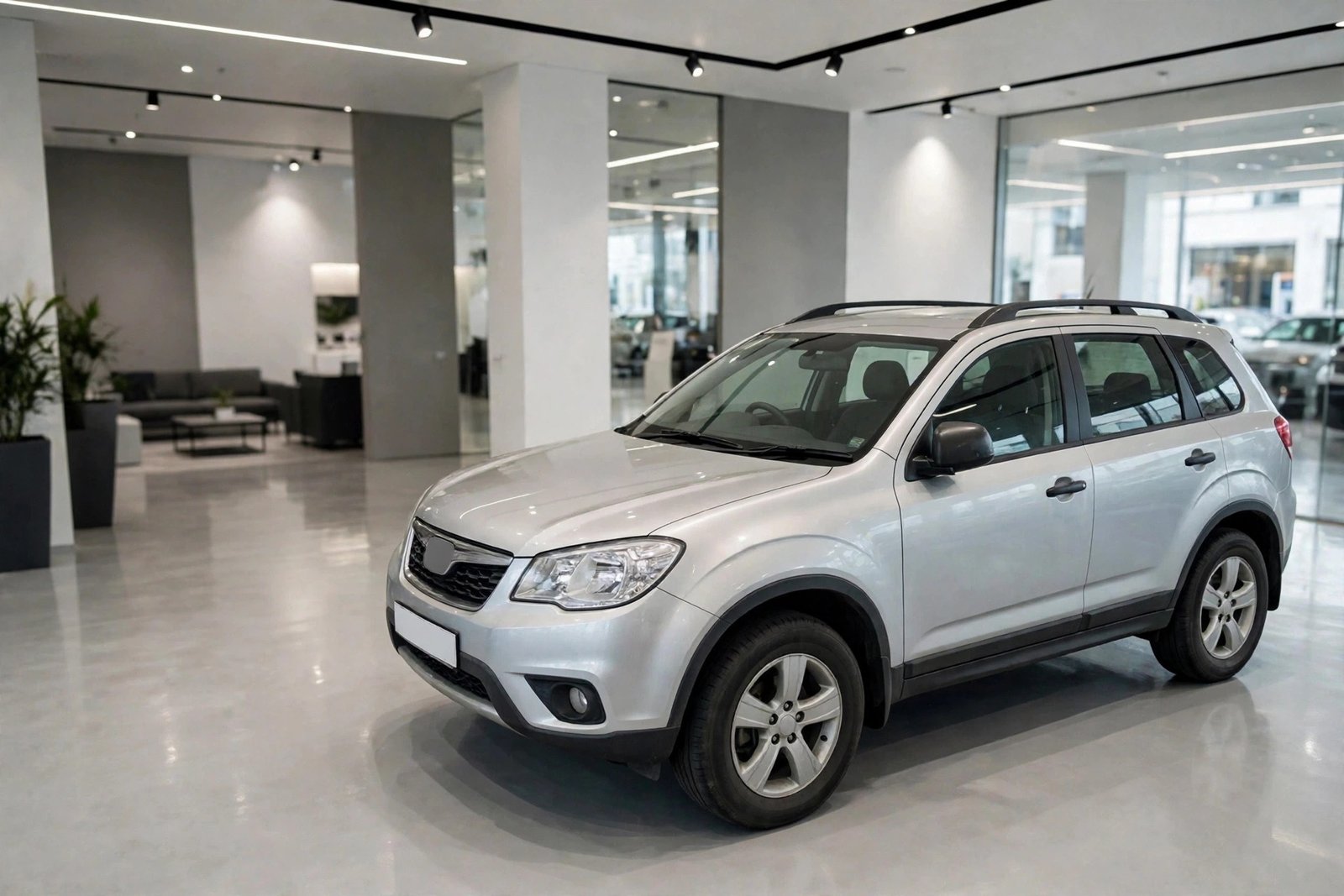
Template libraries are the default offer of most automated tools. You choose from a fixed set of scenes: a bright showroom, a minimal grey studio, a city street, a sunset road, a luxury home driveway. The software applies your chosen scene to every photo the same way.
The advantages are real and worth stating fairly. Templates are fast enough to use while a car is still being valeted. They need no editing skill in-house, so a small lot with no photographer can still lift its presentation this week. The per-photo cost is low, and the look is at least tidy, which is a genuine improvement over a cluttered forecourt for a dealer starting from nothing.
The disadvantages accumulate slowly, which is why dealers often notice them late.
The first is sameness. The library you download is the library your competitors download. In any busy market, buyers browsing a marketplace will see the same showroom behind cars from four different dealers on the same results page. The photo stops differentiating you at exactly the moment it was supposed to start.
The second is mismatch. The scene's light is fixed, but your photos are not. A car photographed on an overcast morning, dropped into a golden sunset scene, carries the wrong shadows and the wrong reflections. Buyers rarely articulate this. They simply feel the listing is somehow less trustworthy and move on, and your analytics show a click-through problem with no obvious cause.
The third is edge failure on real inventory. Templates handle a clean hatchback on a plain background well. They struggle with the stock dealers actually have: roof boxes, tow bars, bull bars, open tailgates in interior sets, dark cars against dark lots at dusk, white cars against bright skies at noon. Each failure is small. Across a two-hundred-car inventory they add up to a visible minority of listings that look processed, and processed is not a word you want attached to your stock.
The fourth is branding, or rather its absence. Your dealership has a building, a color, a town, a reputation built over years. A downloaded scene contains none of it. In an era when dealer groups spend heavily to be recognizable, the most-seen images they publish carry a stranger's showroom.
The custom scene route: what changes
A custom background is a scene made for one business. It might be a cleaned and idealized version of your own showroom or forecourt, photographed once on a good day and then kept consistent forever. It might be a local setting your buyers recognize. It might be a neutral studio treatment built around your brand colors, with your logo handled the way your group standards require. The scene is built once, then every car is placed into it individually, with the cutout, shadow, light, and color work done per photo.
The honest costs first. Setup takes longer, because the scene has to be created, approved, and tested against several different car colors and body shapes before it goes live across your inventory. Each photo takes more work than a one-click template. If your process breaks down, turnaround is measured in hours rather than seconds.
What you get in return is the list templates cannot offer. The look is exclusively yours, so a buyer who has seen three of your listings recognizes the fourth before reading the dealer name. Consistency is total, because the scene never changes with the weather, the season, or which staff member took the photo. Difficult vehicles get individual attention instead of automated guesses. And every finished photo passes a human check against marketplace rules and against the real car, which matters more as platforms tighten their image standards.
For a dealer group running several rooftops, there is a further advantage that often decides the question on its own: one scene family can carry one identity across every location, including locations whose physical forecourts look nothing alike. The group presents as one business because, visually, it is one business.
Reflection shadow work: hover or drag to compare
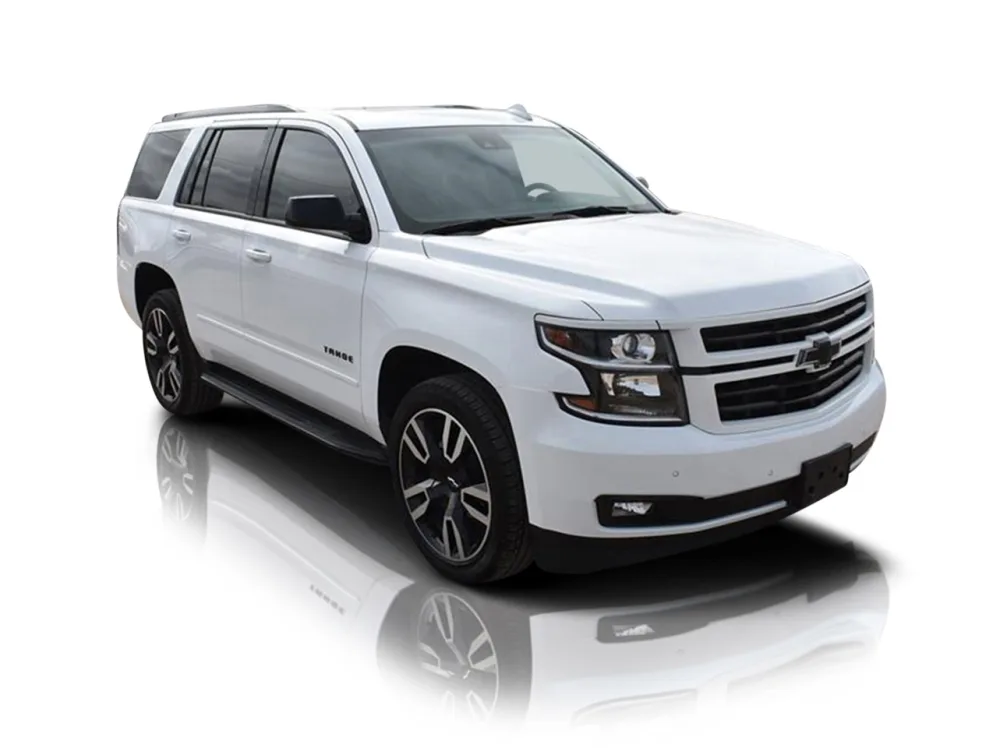
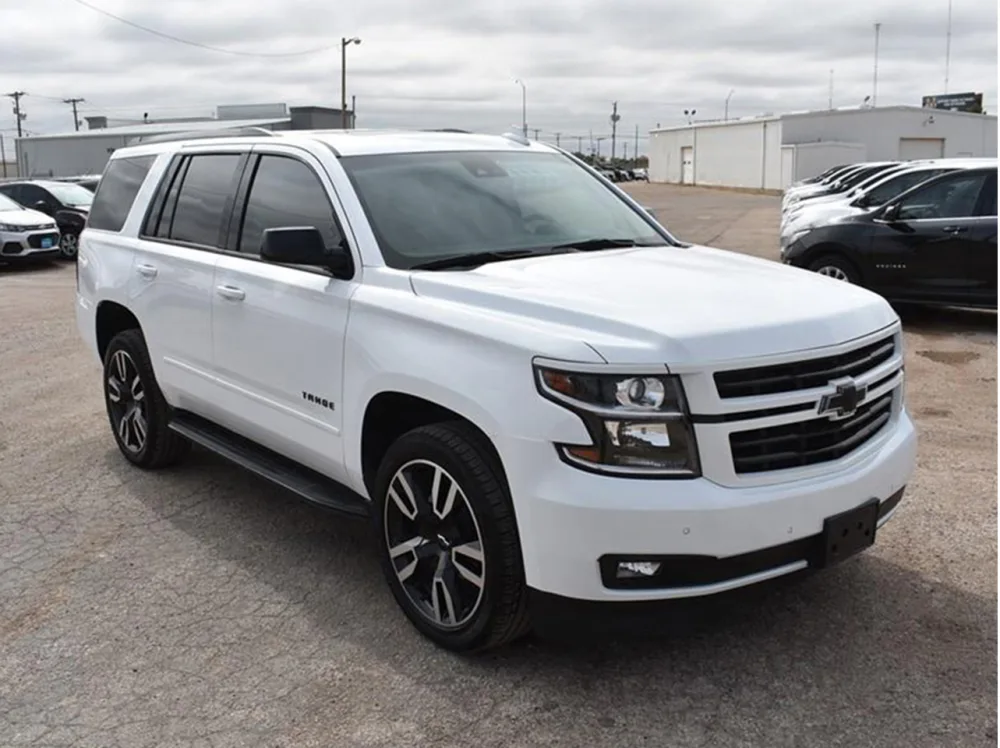 BEFORE
AFTER
BEFORE
AFTER
Drag the slider or move your mouse over the image to compare.
The hybrid route most large dealers actually use
In practice, the biggest operations rarely choose one route for everything. A common and sensible split is this: front-line retail stock, the cars that carry your margin and your reputation, gets the custom treatment. Fresh trade-ins photographed for a quick first listing, wholesale units, and budget stock go through the faster template route, and are re-shot or upgraded if they stay in stock. Some groups also use templates for interior and detail shots where the background barely matters, and reserve custom scenes for the hero exterior photo that carries the click. The right split depends on your volume and your market, but the principle is simple: spend the effort where the buyer decides.
What the marketplaces allow, platform by platform
Rules change, and you should always check the current seller guidance for your own accounts, but the direction across every major platform is consistent and stable: background replacement is permitted, misrepresentation is not.
On Cars.com and CarGurus in the United States, listing photos must show the actual vehicle offered for sale. Editing that cleans the surroundings is normal practice across the industry. Editing that changes the vehicle, its color, its trim appearance, or hides damage is a policy problem and, in some states, an advertising law problem as well.
On AutoTrader in the UK, the same principle applies, with particular sensitivity around anything that could mislead a buyer about condition, because UK consumer protection law on distance selling gives buyers strong rights when a car is not as described. A background that flatters the setting is fine. A photo that flatters the car itself is a liability.
On mobile.de and AutoScout24 in Europe, dealer image standards emphasize clarity and uniformity: the vehicle complete in frame, well lit, honestly presented. German market expectations in particular reward consistency, which is one reason background standardization spread early among German dealer groups. Cross-border sellers should remember that a listing may be judged by buyers, and by platform review, in a country whose advertising standards they have never read.
The working rule that keeps you safe on all of them: edit the scene as much as you like, edit the car almost not at all, and keep the original photos on file so any finished image can be defended against the real vehicle.
What each route really costs
Template tools are usually sold as subscriptions, priced per user or per photo batch. The sticker price is low, but the full cost includes staff time reviewing outputs, re-doing failures, and managing yet another platform login, plus the invisible cost of listings that underperform because they look like everyone else's.
Hand-edited custom work is priced per image. At Cars Photo Editor, background removal and replacement is $0.69 per image, and our services start from $0.19 per image for resizing, with volume discounts of 5 percent at 100 images and 10 percent at 500. There is no subscription and no software to learn. The full cost is the per-image price and the minutes it takes your team to send photos and approve results, which for most dealers is a link to a Drive or Dropbox folder and a reply.
The honest comparison is not price per photo. It is cost per sold car. A route that is half the price but produces listings that earn fewer clicks and weaker enquiries is the expensive route, whatever the invoice says. This is also why we insist dealers test rather than trust, and the test is described below.
How to brief an editing partner, and how to build your scene
Dealers who get the best results from custom backgrounds do a small amount of work once, at the start. Decide what your scene should be and write it down in one page: the setting, the brand colors, how the logo is used if at all, and the treatment for number plates in your market. Gather a reference set of ten photos that already look the way you want, from your own history or from dealers you admire, and mark what you like about each. Send a trial set that includes your hardest cases on purpose: a black car, a white car, a car with a roof box, a dusk shot. Any provider can make an easy photo look good. The trial set is where you find out what your inventory will actually look like. Agree the feedback language in advance: too warm, shadow too hard, scene too bright are instructions an editor can act on in one pass. Finally, name one person on your side who approves the look. Background standards die by committee faster than by any technical problem.
The pre-publish checklist we recommend to every dealer
Before any edited photo goes live, whoever does your editing, run these checks on a sample of every batch. Does the car's color match the vehicle under your own lights. Does the shadow sit under the tires and agree with the scene's light. Are mirrors, rails, and glass clean at the edges when you zoom in. Does the scene repeat so often across your listings that a regular buyer would notice. Does the photo still represent this exact car, its trim, and its condition, with nothing hidden. And does the set as a whole look like one business. Six questions, two minutes, and they catch nearly every problem this guide has described.
How to know if it is working
You do not need special software to judge a background change. Watch the measures your marketplace already gives you: listing views, click-through from search results, saves and shares, and enquiries per vehicle, compared against your own previous period with similar stock. Change one thing at a time where you can. A practical approach is to upgrade the hero photo first on your slowest-moving third of inventory and compare the following fortnight with the stock you left unchanged. Dealers are often surprised that the effect shows up first in save and share behavior, because buyers shortlist with their eyes before they enquire with their wallets.
How Cars Photo Editor does it
We are a hand-editing service, and it is worth being plain about that in an article with this title: no AI tool edits your photos here. An editor draws the clipping path, places the car in your scene, builds the shadow by hand, matches light and color, and checks the finished image against your original before delivery. We have worked this way since 2016, for dealers and automotive photographers across the USA, the UK, and Europe. It is slower than one click. It is also why the result survives being opened full-size on a vehicle detail page by a buyer who is about to spend serious money, which is the only test that matters.
If you want to compare routes honestly, use your own cars as the evidence. Our free trial covers 5 to 10 of your photos, edited and returned for your approval before you pay anything. Send the difficult ones. Judge the edges, the shadows, and the color against the real vehicles on your lot. Then decide which route your front-line stock deserves.
See a custom background on your own cars, free
Send us 5 to 10 of your own listing photos (files or a Drive or Dropbox link) and we will edit them free, by hand, so you can judge the quality on your own inventory before you spend anything.
Start Your Free TrialAI car backgrounds: common questions
Are AI car backgrounds allowed on Cars.com, AutoTrader, and mobile.de?
Yes, background replacement is permitted on all of them, provided the photo still represents the actual vehicle honestly. Altering the car itself, hiding damage, or changing its apparent specification is not permitted.
What is the difference between a template background and a custom scene?
A template is a ready-made scene from a shared library, applied automatically and identically for every customer of the tool. A custom scene is created for one dealership and each car is placed, lit, and shadowed individually, giving a look competitors cannot copy.
How long does hand-edited background replacement take?
Standard turnaround is within 24 hours for typical dealer batches, and the first set is free: the trial covers 5 to 10 images so you can judge quality before any payment.
Can one background style cover several dealership locations?
Yes. A custom scene family is often built precisely for that purpose, so every rooftop in a group presents one consistent identity regardless of how different the physical sites look.