The Car Dealer Photo Editing Workflow: From the Lot to a Live Listing
November 5, 2026 · Dealer Marketing
A car's photos often wait longer than the car does. This guide sets out a dealer photo workflow that works — shoot, send, hand edit, delivery within 24 hours, publish, pay after — and what it costs to run it on every car, at every location.
Key takeaways
- The workflow in one line: shoot each car to a fixed shot list, send the originals by upload or link, have them edited by hand, and the finished set is back within 24 hours — and you pay only after delivery.
- Consistency is the point: one background, one colour standard and one framing across every set is what makes listings on Cars.com, CarGurus and AutoTrader look like one dealership rather than a folder of snapshots.
- All editing is done by hand, with no AI tools — and honest editing never hides a car's real condition, wear or defects.
- Dealer photo editing from $0.59/image, with 5% off orders of 100+ images and 10% off 500+, and a free trial of 5-10 images with no card needed to start.
Why the workflow matters more than the camera
A car dealer photo editing workflow is simply the route a photo travels from the lot to a live listing: the car is shot, the photos are sent for editing, they are edited by hand, delivered back, and published. Treated as a fixed routine instead of a job someone squeezes in, it means a car photographed today can be in front of buyers tomorrow. This guide walks through each step, what it costs, and how dealer groups keep every location's listings looking like one dealership.
Most dealerships do not have a photography problem; they have a handover problem. The salesperson who shoots the cars also answers the phone, the photos wait on a phone until someone finds an hour, and each marketplace ends up with a different set — one background on Cars.com, another on CarGurus, a third on AutoTrader. The car is ready to sell long before its listing is.
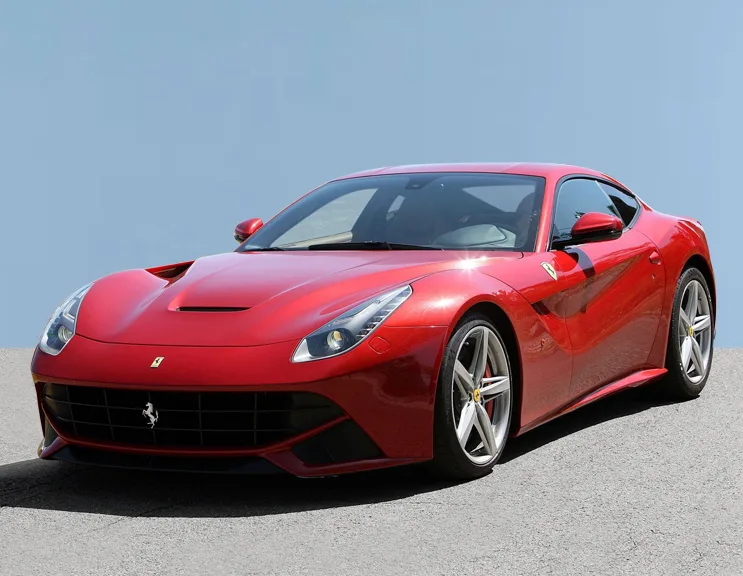
A defined workflow removes the waiting and the improvisation. Everyone on the lot knows what to shoot, where the photos go, and when the finished set comes back, and the standard does not change with whoever is on shift. The two examples below show what the editing step does to ordinary lot photography — hover over each photo, or drag the slider, to compare.
Step by step: the car dealer photo editing workflow
The workflow has six steps, and only the first of them happens on your lot.
Step one — shoot the car. Photograph each car the same way every time: the same exterior angles, the interior, and the details a buyer looks for, in daylight where you can. A fixed shot list matters more than an expensive camera, because it is what makes one car's set match the next car's set.
Step two — send the photos. Upload the files from your client account (files up to 50MB each) or paste a Google Drive or Dropbox link and say how many images it holds. There is no printing, posting or special preparation: the original files, as they came off the camera or phone, are what the editors work from.
Step three — the hand edit. Editors replace or clean the background, correct colour and lighting, retouch the marks and distractions a camera collects, and finish the set to one consistent standard. Every image is edited by hand — no AI tools — and the car's real condition stays honestly shown throughout.
Step four — delivery. The finished photos come back within the standard 24-hour turnaround, as files or as a download link, ready to use. Because delivery is by link as well as by file, a set can be picked up by whoever loads the listings, wherever they are working.
Step five — publish. Load the set to your website and syndicate it to Cars.com, CarGurus, AutoTrader and your other marketplaces. Because every photo shares the same background, light and framing, the listing reads as one considered presentation instead of a folder of snapshots.
Step six — pay after delivery. You pay only once the edited photos are delivered and you can see them, from the invoice in your account. Nothing is charged up front: if the finished photos are not in your hands, there is nothing to pay for.
Shot on the lot, finished for the listing
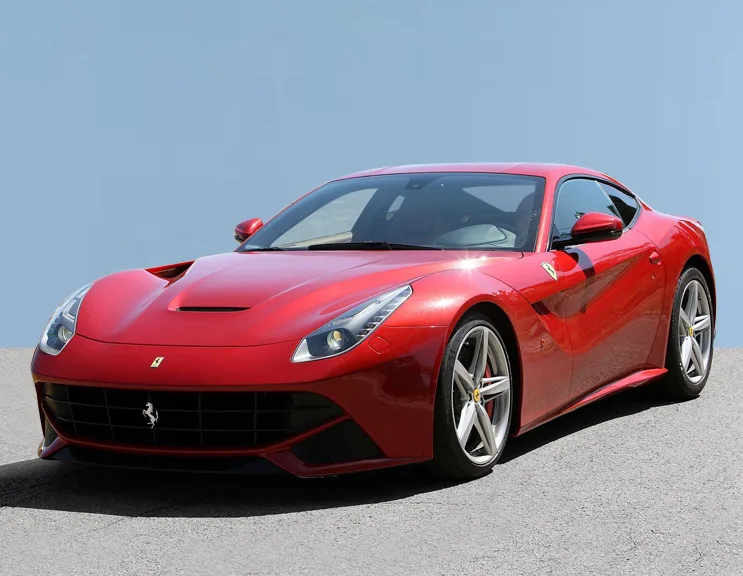
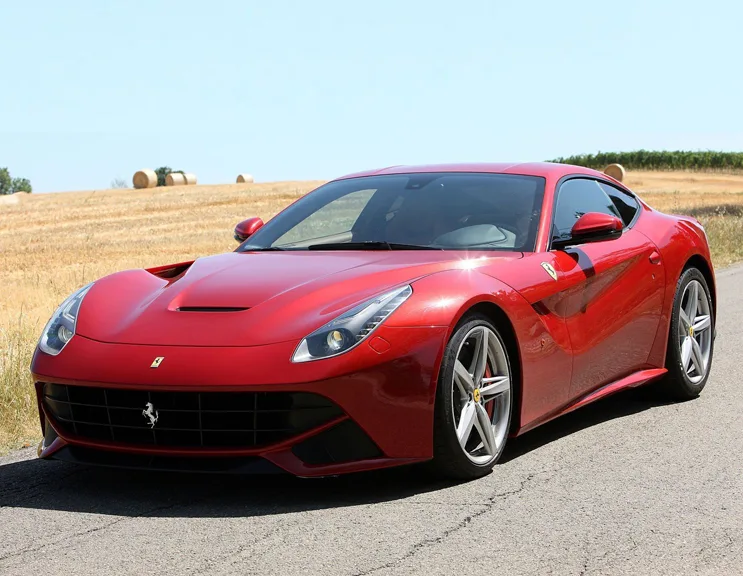 BEFORE
AFTER
Drag the slider or move your mouse over the image to compare.
Shooting on the lot: habits that make the edit work
Editing can fix a great deal, but it cannot invent a view that nobody photographed. The habits that matter are all on the shooting side, and none of them needs a studio: a washed car, a clear space to stand it in, and the same circuit of angles walked for every vehicle.
Shoot in daylight where you can, ideally with the light behind you rather than behind the car, and keep the whole car in frame with space around it — an editor can tidy a background, but cannot convincingly rebuild a cropped bumper or a cut-off roofline. Photograph the interior and the details as deliberately as the exterior: seats, dashboard, steering wheel, boot, and any feature the advert mentions.
Work through the set in the same order every time, so the lead photo is always the same angle and a buyer scrolling your stock sees a rhythm rather than a jumble. It also makes the set easy to check before sending: a missing view is noticed before the car is listed, not after.
Finally, send the original files, not copies passed through a messaging app, which quietly shrinks and softens them before an editor ever sees them. And photograph the car as it is. A mark or a worn bolster shown honestly in the listing is a small thing; the same mark discovered on the forecourt is an argument.
What happens during the edit
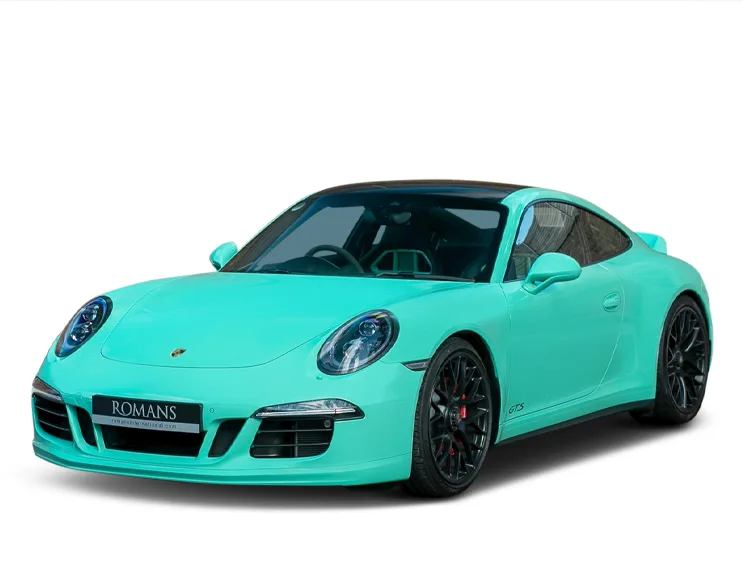
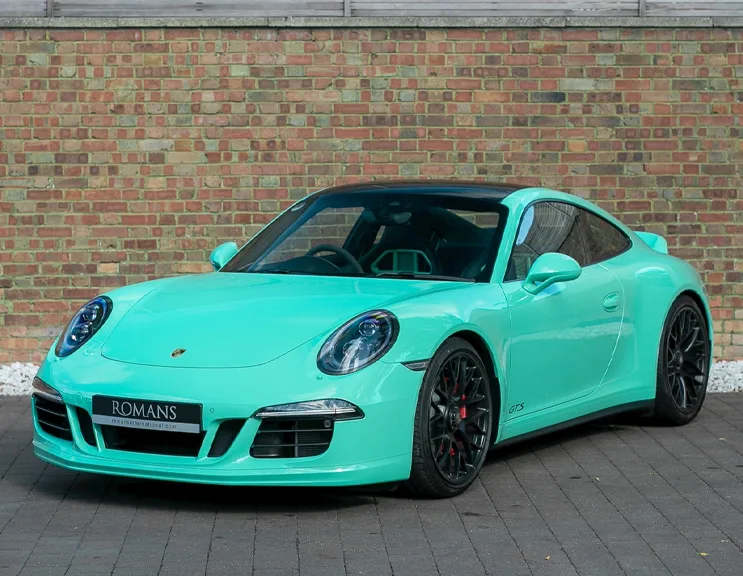
In a car dealer photo editing workflow, the editing step is where separate snapshots become a set. The background is replaced or cleaned so the car sits on the same calm ground as every other car you sell, colour is corrected so the paint on screen matches the paint on the lot, and lighting is evened out so one side is not lost in shade while the other glares.
Retouching then deals with the small distractions a camera collects — harsh reflections, litter, a stray cone, the marks on paintwork that a wash would have removed — while leaving the car's genuine condition untouched. Damage, wear and defects are not airbrushed away: a listing that hides them only moves the disappointment to the viewing, where it costs a great deal more.
It is worth being plain about how this step is done: by people. Every image is edited by hand, by an editor working to one standard, not passed through an automated filter or an AI tool. That is why an awkward reflection, a number plate caught at a strange angle or a shadow falling across the badge gets noticed and dealt with, instead of being shipped.
The last part of the step is consistency: the same background, colour balance and framing are applied to the first photo and the twentieth alike, so the set holds together as a buyer swipes through it — and matches the sets listed before and after it.
Colour and light, corrected by hand
 BEFORE
AFTER
Drag the slider or move your mouse over the image to compare.
Where workflows break down
Most photo problems at a dealership are not editing problems at all; they are gaps between the steps. The commonest is the wait: photos sit on a phone over a weekend because sending them is nobody's named job, and a car that arrived on Friday is not listed until Wednesday. In a defined workflow the send happens the same hour as the shoot, because the job belongs to someone by name.
The second gap is drift. One person crops tightly, another shoots wide; one week the backgrounds are the yard, the next week they are the road. None of it is carelessness — it is what happens when the standard lives in people's heads instead of in the workflow. A fixed shot list and a single editing standard remove the drift.
The third gap is paying before seeing. Plenty of dealers reasonably refuse to hand money over up front for work they cannot yet inspect, and it stops them outsourcing the step at all. A workflow where payment falls due only after delivery removes that objection: the photos arrive first, and the invoice follows work you can look at.
One car dealer photo editing workflow for every location
A dealer group has the same problem as a single site, multiplied by every rooftop. Each location shoots differently, one manager's listings look sharp while another's look like classified ads, and a buyer browsing the group's stock sees several unrelated dealers trading under one name.
The fix is to run one workflow rather than one per site. Every location shoots to the same shot list, sends through the same route, and has its sets finished to the same background, colour and framing standard. It stops mattering which site a car sits on, or which marketplace a buyer finds it through — Cars.com, CarGurus and AutoTrader all carry the same presentation, and group stock starts to look like group stock.
Centralising the editing step is what makes this practical. Lot staff only have to shoot and send; the consistency is applied in one place by the same hands. A group can hold its standard even as staff change at individual sites, because the standard now lives in the workflow rather than in one person's habits — and a new starter is productive from their first car.
What the workflow costs
Like everything we do, dealer photo editing is priced per image, not per hour: from $0.59 per image, with car retouching and the rest of each set finished to the same standard. Volume discounts apply automatically — 5% off orders of 100+ images and 10% off 500+ — which is where a week's stock, or a group's sets, benefit most, and the standard turnaround is 24 hours for typical batches. And because payment is only due after delivery, the cost of a batch is never committed before you have seen the finished photos.
The sensible way to judge it is on your own cars. Send 5 to 10 photos of one vehicle through the free trial — no card needed — and put them through the same steps described here. If the set that comes back looks like a listing you would happily buy from, the workflow is doing its job.
Put your next car through the workflow — free
Upload 5 to 10 photos of a car on your lot (or paste a Drive/Dropbox link) and we will edit them free, so you can see the finished set before spending anything. No card, no commitment.
Start free trialCar dealer photo editing workflow — common questions
How long does it take for edited car photos to come back?
The standard turnaround is 24 hours for typical batches. Photos sent today are returned as files or as a download link, ready to load to your website and your marketplaces — and you pay only after they are delivered, once you can see them.
Do I have to pay before my photos are edited?
No. Payment is due only after delivery, when the finished photos are in your hands. Nothing is charged up front, and the free trial — 5 to 10 of your own photos, with no card required — lets you test the workflow before your first paid batch.
Can one workflow cover several dealership locations?
Yes, and that is where it helps most. Each location shoots to the same shot list and sends its photos the same way, by upload or by a Drive or Dropbox link, and every set is edited by hand to one standard. Your listings look consistent across every site and every marketplace, whichever rooftop the car is standing on.